


Coloring with Blippi & Friends
3.85.00 Reviews
App Specs
- Version
- 1.5.0
- Updated On
- License
- Free
- Downloads
- 50,000+
- Developer
- Red Games Co.
- Categories
- Educational
- Platform
- Android
Screenshots
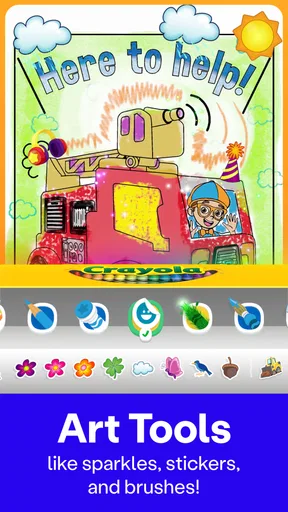

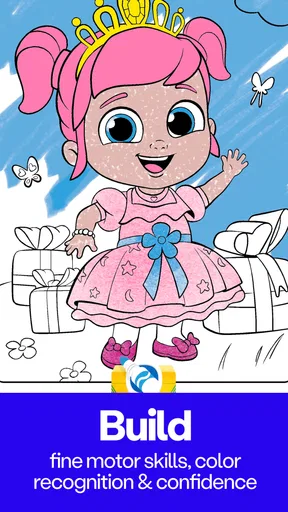
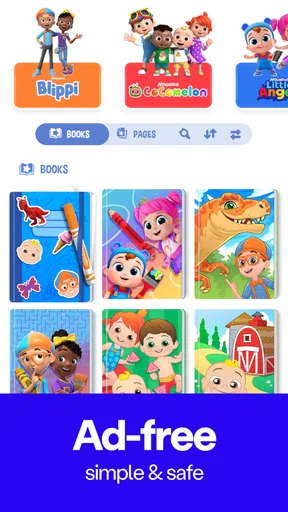
 Analysis by AppCompare
I look at Coloring with Blippi & Friends as a focused option for children who enjoy familiar characters and want to make pictures without needing a complicated art program. Its appeal is less about teaching formal drawing skills and more about giving kids an easy creative activity they can start with a few taps. That makes it useful for a quiet stretch at home, though parents should keep its limits in mind: a character-led coloring game is not a substitute for open-ended drawing, and purchases may affect how much content a family can access.
A good fit when a short creative activity is the goal
In a busy household, the practical question is often whether a child can get started without an adult having to set up a whole project. This game is designed around coloring, so it can suit a brief pause while dinner is being prepared or a calm activity after a more energetic play session. I would treat it as a little pocket of focused play rather than something to leave running indefinitely. A child can choose a picture, work on it at their own pace, and stop when they are ready.
That simple use case is also where the app’s recognizable cast can help. Children who already like Blippi, CoComelon, Little Angel, Morphle, or Oddbods may be more eager to open a coloring activity than a blank drawing canvas. The trade-off is that the characters shape the experience: kids who want to invent their own subjects from scratch may get more out of a general art app, paper and crayons, or a drawing tool with a genuinely open canvas.
What to check before handing over the device
Although the game is free to download, it includes optional in-app purchases priced from $4.99 to $99.99 per item. I would check the purchase settings on the device before letting a young child explore independently, and make clear that tapping a locked or tempting item is not the same as being allowed to buy it. The broad price range makes this especially worth discussing with an adult first rather than assuming every part of the experience is included at no cost.
It is also sensible to try the game together the first time. That gives a parent a chance to see how the child moves between screens, whether the available activities hold their attention, and whether the app fits the household’s expectations for screen time. The age rating is Everyone, but that does not remove the value of adult guidance around purchases or choosing an appropriate time to play.
How it differs from paper and general drawing apps
Compared with coloring on paper, a digital activity is tidy and easy to put away, and the familiar characters can provide an immediate starting point. Paper, on the other hand, gives children a physical experience: they choose their own tools, feel how crayons or pencils move, and can turn the page into anything they imagine. I would pick this game for convenience and character familiarity, but choose paper when the goal is hands-on practice or completely unrestricted creativity.
Against a broad drawing app, the key question is whether the child wants a guided coloring activity or a tool for making original pictures. A specialized game can feel less intimidating because the child begins with an image rather than a blank screen. A general drawing app may offer more freedom, but that freedom can also mean more controls for a young user to understand. For a preschooler who mainly wants to color a favorite character, guided pages are likely the easier starting point; for a child eager to sketch their own stories, the broader tool is probably the better match.
Worth Reading Before You Choose

EA SPORTS FC Mobile 26 Is a Bigger Football Game, but It Takes Time

Flipboard Shows What News Apps Must Do Beyond the Feed

Switching to Android Auto Means Rethinking Your Driving Routine

Google Calendar Makes a Crowded Week Easier to Manage

Ludo King Makes the Most of the Minutes Between Plans

Baby Panda World Brings Quick Play to Modern Phones, but Its Game Library Feels Busy
Small habits that make the experience work better
I would set a simple routine before opening the game: choose one picture, color for a little while, then show or talk about the result. That keeps the activity from turning into aimless screen time and gives the child a chance to describe choices such as why a character got a particular color. It also makes the game more engaging for an adult who wants to share the moment without taking over the artwork.
Another useful approach is to let the child make the decisions, even when the result looks unusual to an adult. The value here is the process of choosing and experimenting, not producing a polished picture. If a child becomes frustrated, I would pause rather than insist they finish; a coloring game should feel relaxing, and a short break may be more helpful than trying to complete every page.
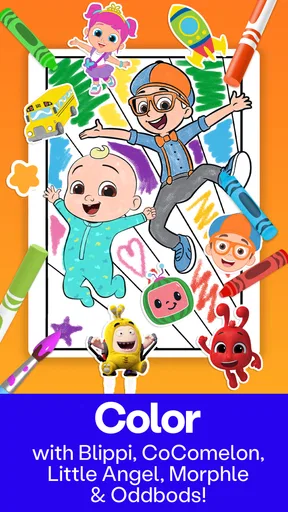
Ever found yourself in need of a little creative outlet that’s both fun and educational for kids? Well, look no further because Coloring with Blippi & Friends might just be the app you’ve been waiting for. Let me take you through my experience with this colorful app, where learning meets creativity in the most delightful way.
Getting Started with Coloring Adventures
Once I installed Coloring with Blippi & Friends, I was immediately greeted with a vibrant and friendly interface. The app is super intuitive, making it easy for kids to dive right into the coloring fun. Blippi, with his ever-enthusiastic charm, welcomes users and guides them through the app, ensuring they feel right at home.
Before you jump into coloring, the app offers a quick tutorial, which I found quite helpful. It’s tailored for kids, so it’s quick, engaging, and gets them excited about what’s to come. With a simple tap, you’re ready to explore a wide array of coloring pages featuring Blippi and his friends.
A World of Colors and Creativity
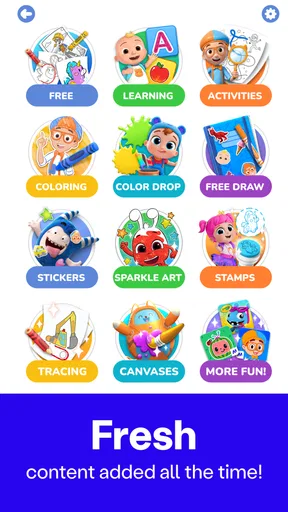
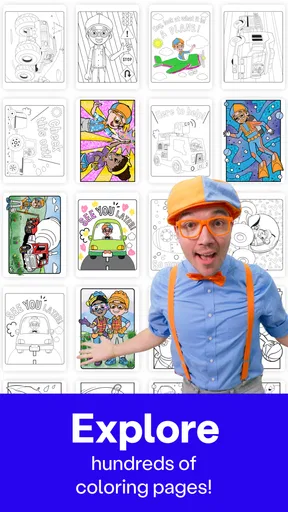
The coloring pages are categorized into different themes, which is perfect for keeping things organized and fresh. From dinosaurs to outer space, there’s a theme that’ll spark every kid’s imagination. I was particularly impressed with the variety and detail of the illustrations. They’re not just fun but also educational, subtly teaching kids about different subjects as they color.
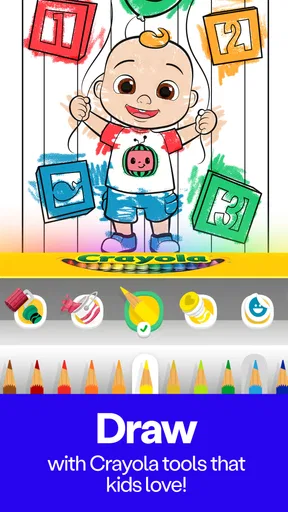
What I absolutely love is the color palette. It’s extensive and vibrant, allowing kids to experiment with different shades and hues. The app also includes a nifty feature where kids can learn about color mixing, which is a fantastic way to spark their curiosity about art and design.
Interactive Features for Enhanced Learning
One of the standout features of the app is its interactive elements. While coloring, kids can tap on certain parts of the images to get fun facts and trivia related to what they’re coloring. This adds an educational layer to the experience, transforming it from just coloring to a learning adventure. It’s like sneaking veggies into a dish – kids learn without even realizing it!
The app also supports a save and share feature, which allows kids to save their masterpieces and share them with family and friends. This not only boosts their confidence but also keeps them motivated to create more. Plus, parents get to proudly display their child’s artwork.
User-Friendly Design and Parental Controls
The design of the app is incredibly user-friendly. The developers clearly understand their audience, ensuring that navigation is a breeze for little fingers. There are no complicated menus or distracting ads, which I appreciate as it keeps the focus on what matters – coloring and learning.
Parents will also be pleased to know that the app includes robust parental controls. You can set time limits, monitor activity, and even restrict certain features if needed. This ensures a safe and controlled environment for kids to explore their creativity.
The Verdict: A Must-Try for Creative Kids
In summary, Coloring with Blippi & Friends is more than just a coloring app. It’s a wholesome, educational tool that nurtures creativity while subtly integrating learning. Whether you’re looking to entertain your child on a rainy day or want to encourage their artistic skills, this app is a fantastic choice.
So, if you’ve got a little artist in the making or simply want to add some colorful fun to your child’s routine, I highly recommend giving this app a try. With Blippi and his friends guiding the way, it’s bound to be a delightful adventure full of color and discovery.
Where it sits in the kids’ game aisle
As an educational game from Red Games Co., it has a clear, narrow purpose: pair coloring with characters young viewers may already recognize. That focus is a strength when a child needs an easy invitation to create, but it also means I would not choose it as a full art curriculum or a game built around broad lessons. The central activity is still making pictures, with learning woven around that activity rather than replacing it.
Its average rating is 3.8 from 110 ratings, and it has passed 50,000 installs. I read those figures as a modest sign that families have tried it, not as proof that it will suit every child. The game is free, rated Everyone, and was released on September 17, 2025; version 1.5.0 requires Android 10 or later. That compatibility requirement is worth checking on an older device before planning to use it as a travel activity.
Questions I would answer before choosing it
Is it suitable for a young child to explore alone? I would start alongside them, even though the interface is described as simple and the age rating is Everyone. A first session lets you see whether the child can find a page and understand the controls, while also giving you a natural chance to set boundaries around purchases and screen time. Once you know how they use it, you can decide how much independence makes sense for your family.
Does it replace drawing supplies? Not in my view. It offers a convenient digital way to color, but it cannot offer the tactile choices and physical practice of paper, pencils, or crayons. I would use it as one option in a varied routine: the game when convenience or familiar characters help a child get started, and physical materials when the aim is to draw freely or explore how real tools feel.
Is the free download enough? That depends on what the child wants to do and what content is available to them in the game. Optional purchases range from $4.99 to $99.99 per item, so I would not promise a child that every page or feature is included without first checking in the app. Keeping purchase approval with an adult is a practical way to avoid a surprise and to make the decision deliberately.
Finally, will every child enjoy it? Probably not. A fan of the featured characters who likes coloring is the natural audience; a child who prefers building, movement, open-ended drawing, or a story with a clear beginning and end may lose interest. If the child asks to invent their own pictures, paper or a flexible drawing app is likely to be the more satisfying choice.
My recommendation for the right household
Coloring with Blippi & Friends works best as a convenient, character-based coloring activity rather than a complete creative or educational program. I would recommend giving it a try for a child who already enjoys the show’s world and finds a blank page intimidating, while staying nearby for the first session and keeping in-app purchases under adult control. For families looking for unrestricted drawing, hands-on art practice, or a wider range of play, another activity will be a better fit.
The deciding factor is whether the child enjoys the act of coloring, not simply whether they recognize the characters. If they do, this game can make a short stretch of quiet time feel purposeful and give them something they are pleased to show afterward. If not, there is no need to push it: a different creative activity will serve them better.
Pros
- Engaging and colorful interface.
- Wide variety of coloring pages.
- Includes fun educational content.
- User-friendly navigation for kids.
- Regular updates with new content.
Cons
- Limited free content options.
- Requires internet for some features.
- In-app purchases can be pricey.
- Ads may interrupt gameplay.
- No offline mode available.
FAQs for Coloring with Blippi & Friends
What is Coloring with Blippi & Friends?
Coloring with Blippi & Friends is an interactive app designed for children, featuring fun and educational coloring activities with the popular character Blippi and his friends. The app provides various coloring pages and tools to help develop creativity and motor skills in young users.
Is Coloring with Blippi & Friends suitable for all ages?
The app is primarily designed for young children, typically aged 3 to 8 years old. It features simple and intuitive controls, making it easy for kids to navigate. Parents can also join in the fun, providing a shared experience that enhances interaction and learning.
Does Coloring with Blippi & Friends require an internet connection?
No, Coloring with Blippi & Friends does not require a constant internet connection. Once downloaded, the app can be used offline, making it convenient for use during travel or in areas with limited internet access. However, certain features, like updates or new content, may require internet access.
Are there in-app purchases in Coloring with Blippi & Friends?
Yes, Coloring with Blippi & Friends includes optional in-app purchases. These may offer additional coloring pages, tools, or features. Parents should be aware of this and can set up parental controls to manage or restrict purchases to ensure a safe experience for their children.
How does Coloring with Blippi & Friends support child development?
The app supports child development by enhancing creativity, fine motor skills, and color recognition. Through interactive and engaging activities, children can explore different colors, shapes, and patterns, which can contribute to their cognitive and emotional growth in a fun and entertaining way.


